How to Set a Default VPC
Validated on 19 Oct 2020 • Last edited on 12 Jan 2026
A Virtual Private Cloud (VPC) is a private network interface for collections of DigitalOcean resources. VPC networks are inaccessible from the public internet and other VPC networks, and traffic on them doesn’t count against bandwidth usage. You can link VPC networks to each other using VPC peering connections.
Each datacenter region containing your resources has a default VPC network, and all applicable resources are placed into the default VPC network unless otherwise specified during their creation. If you have created multiple VPC networks in a region, you can change the default VPC network for that region.
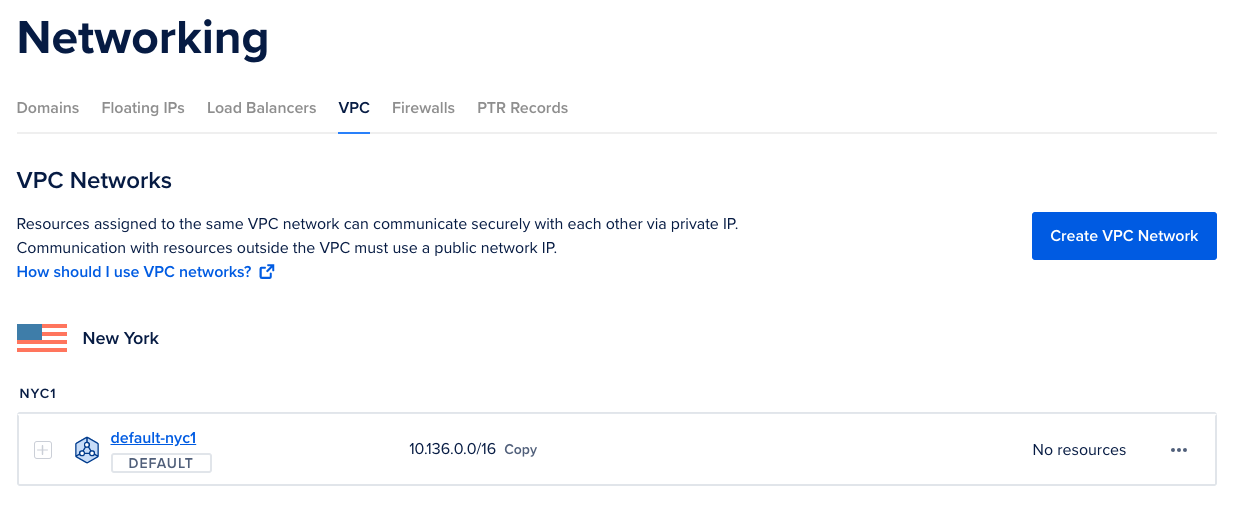
To change the default VPC network for a region from the DigitalOcean Control Panel, click Networking in the main menu and then click the VPC tab.
In the VPC Networks tab, click the More menu of the VPC network you want to make the default network and select Edit Settings.
In the Region Default section, click Edit. Click the Set this VPC as the region default checkbox, then click Save. The VPC network is now the default network for the region and is automatically selected during applicable resource set ups in the future.